
PHP security update: what website owners need to do now
Two critical flaws need immediate patching. A separate session issue needs a configuration review. Here is what to ask your hosting provider and how to verify the update.
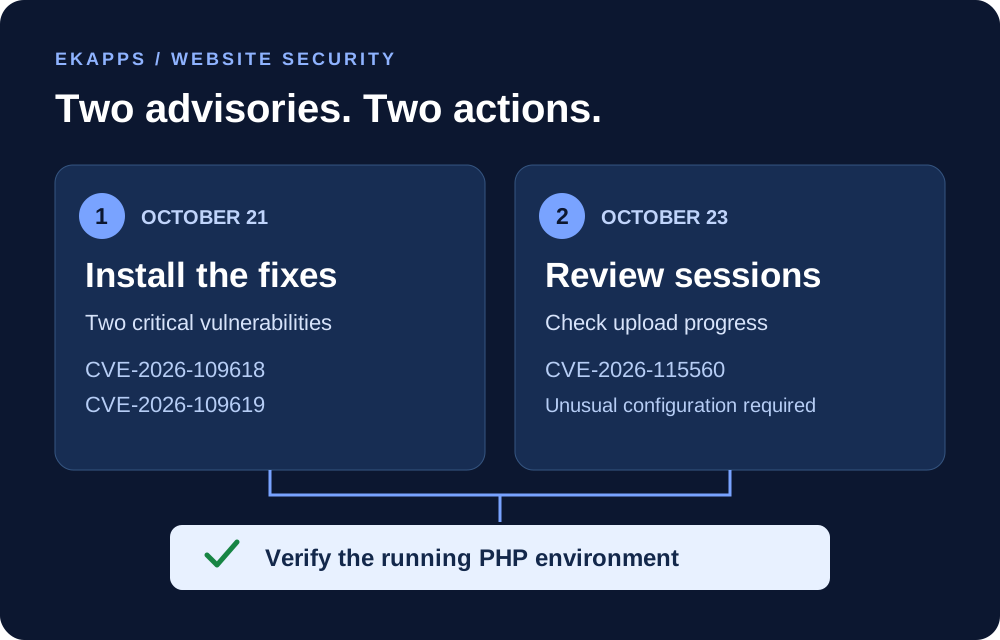
If your website runs on PHP, there are two actions to prioritise: confirm that the October 21 security fixes are installed, then review the separate session upload guidance issued on October 23.
These announcements concern the server software behind your website. A website can look and function normally while its PHP environment still needs attention. The most useful next step is to get a clear update status from whoever manages your hosting.
THE ESSENTIALS · OCTOBER 23, 2026
Patch now. Review sessions. Verify.
- Install the critical fixes: CVE-2026-109618 and CVE-2026-109619 can allow remote code execution without an attacker signing in.
- Check the new advisory: CVE-2026-115560 affects an unusual combination of session configuration and application behaviour.
- Confirm the result: ask your host to verify the running PHP environment and any required configuration change.
Sources: PHP security announcement and PHP session advisory.
The two critical flaws: update immediately
On October 21, PHP released fixes for CVE-2026-109618 and CVE-2026-109619. Both have a CVSS severity score of 9.2 out of 10. Successful exploitation can let an unauthenticated attacker execute code with the web worker’s permissions. CERT-EU recommends immediate patching.
The first flaw involves memory exhaustion leaving internal request data in an unsafe state. The second involves a worker retaining references to memory that has already been released. The PHP Foundation reports demonstrated remote code execution on Apache with mod_php, including a path that runs before the application itself starts.
That is why a CMS update, a security plugin, or an administrator password change cannot be treated as a replacement for the PHP fixes. Application-level protections may never get an opportunity to intervene.
PHP’s alert covers installations serving web requests, including PHP-FPM, Apache with mod_php, php-cgi, FrankenPHP, and LiteSpeed. The demonstrated risk is highest for mod_php; using another setup is not a reason to skip the update. Read the PHP announcement.
Which versions contain the October 21 fixes?
| PHP branch | Fixed release |
|---|---|
| PHP 8.2 | 8.2.35 |
| PHP 8.3 | 8.3.36 |
| PHP 8.4 | 8.4.27 |
| PHP 8.5 | 8.5.12 |
These are the first releases containing the two October 21 fixes. They do not remove the need to follow the October 23 session advisory. Distribution vendors may backport patches without matching these upstream version numbers, so ask the vendor to confirm the package’s security status. PHP 8.1 and older require a supported upgrade or a confirmed vendor fix. CERT-EU update guidance.
The newer issue: review session upload progress
The October 23 advisory, CVE-2026-115560, concerns an unlikely remote code execution scenario. PHP says it requires all of the following:
- Session upload progress is enabled.
- The application starts with
session.serialize_handlerconfigured asphp_binaryorphp_serialize. - The application changes the handler to
phpthroughini_set()before callingsession_start().
PHP recommends setting session.upload_progress.enabled=0 until the next regular bugfix release. If your administrator already applied it after the October 21 alert, keep it in place. PHP also states that applications which never change their session serialisation handler at runtime can leave upload progress enabled. The full advisory is pending. PHP’s October 23 guidance.
For the person managing your server
session.upload_progress.enabled=0Apply the setting in php.ini, an FPM pool, or server configuration that takes effect before request parsing, and restart every PHP worker. Do not rely on an application-level ini_set() call or FPM .user.ini for this mitigation. Disabling upload progress does not replace the October 21 patches. PHP’s mitigation instructions.
A practical checklist for website owners
- Identify who manages PHP. Check your hosting panel or ask your provider which PHP version and package serve each website. A command-line version alone is not evidence of what the web server is running.
- Arrange the update promptly. Confirm a current backup and a recovery plan, then have your host apply the appropriate security update across all relevant servers and deployments.
- Review the session setting. Ask your developer or host to check the October 23 conditions and apply PHP’s recommended precaution where needed.
- Verify after deployment. Confirm the patched web workers are running, then test logins, forms, uploads, and any checkout or payment flow your site uses. Record the version or vendor advisory, completion time, and person responsible.
If immediate patching is not possible, CERT-EU advises considering isolation of internet-facing applications until the fix is applied and verified. Coordinate this with your host so you understand the impact on visitors and business operations.
What to ask your hosting provider
You do not need to diagnose PHP internals yourself. Send your provider a request like this:
Please confirm which PHP version and package are serving our website, and whether fixes for CVE-2026-109618 and CVE-2026-109619 are installed. Please also review CVE-2026-115560, confirm whether the session upload progress precaution is needed or already active, and verify the running workers after any changes. Let us know if any action is required from us.
EKAPPS WEBSITE SUPPORT
Need help checking your website?
EKAPPS can help review your website’s PHP environment, identify the required updates, and coordinate the next steps with your hosting provider. Security, maintenance, and ongoing support are part of our website services.
Share your website address and hosting provider with us, and we can help you work out what needs attention.
Talk to EKAPPSInformation checked against the linked advisories on October 23, 2026. Recheck the official PHP advisory for later releases and updated guidance.